
Television, Refined for the Big Screen.
SoliTV unites your IPTV playlists, an exquisite 14-day TV guide, and your personal Plex, Jellyfin, and network libraries into one cinematic home. Built from line one for the Siri Remote.
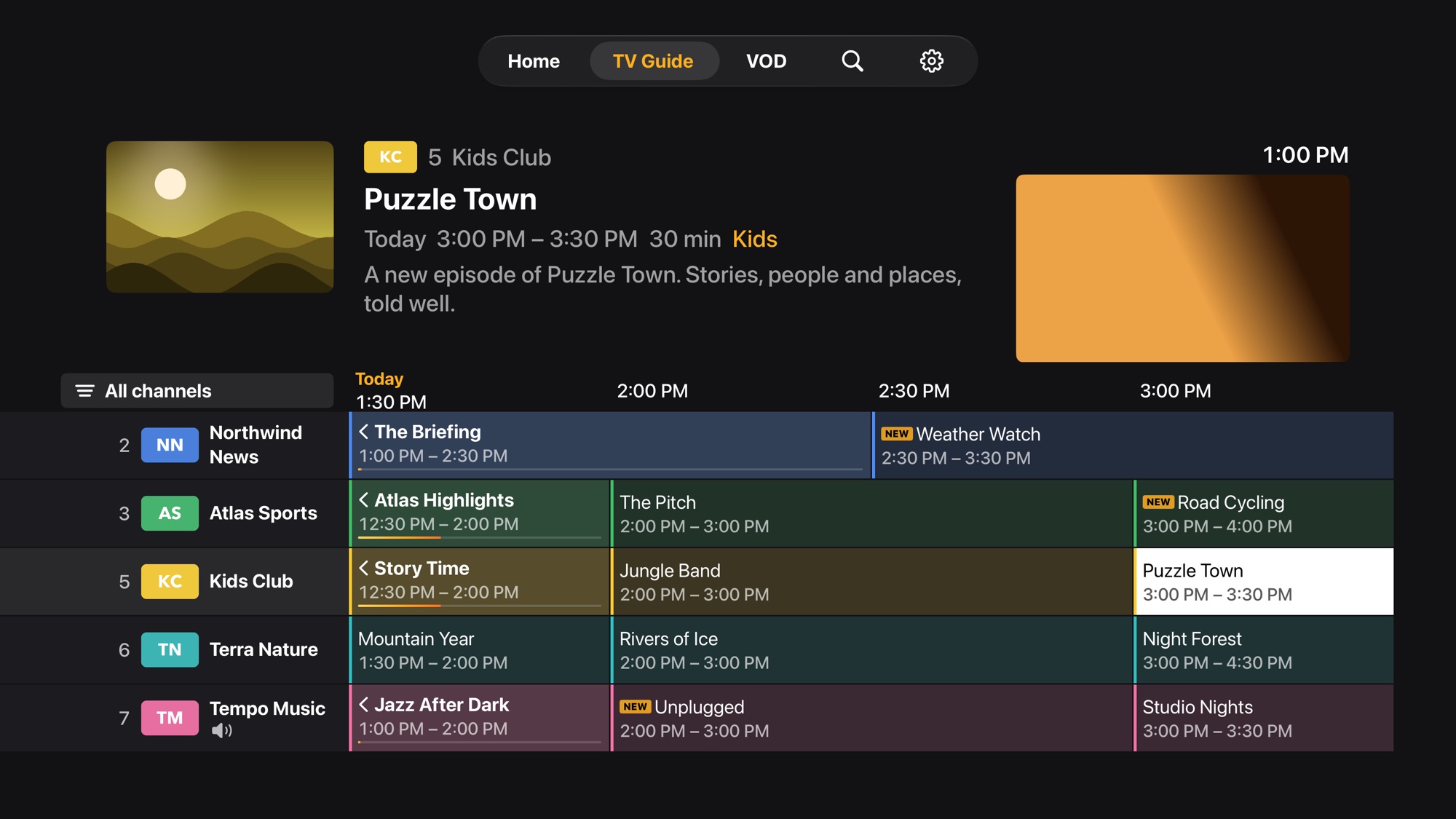
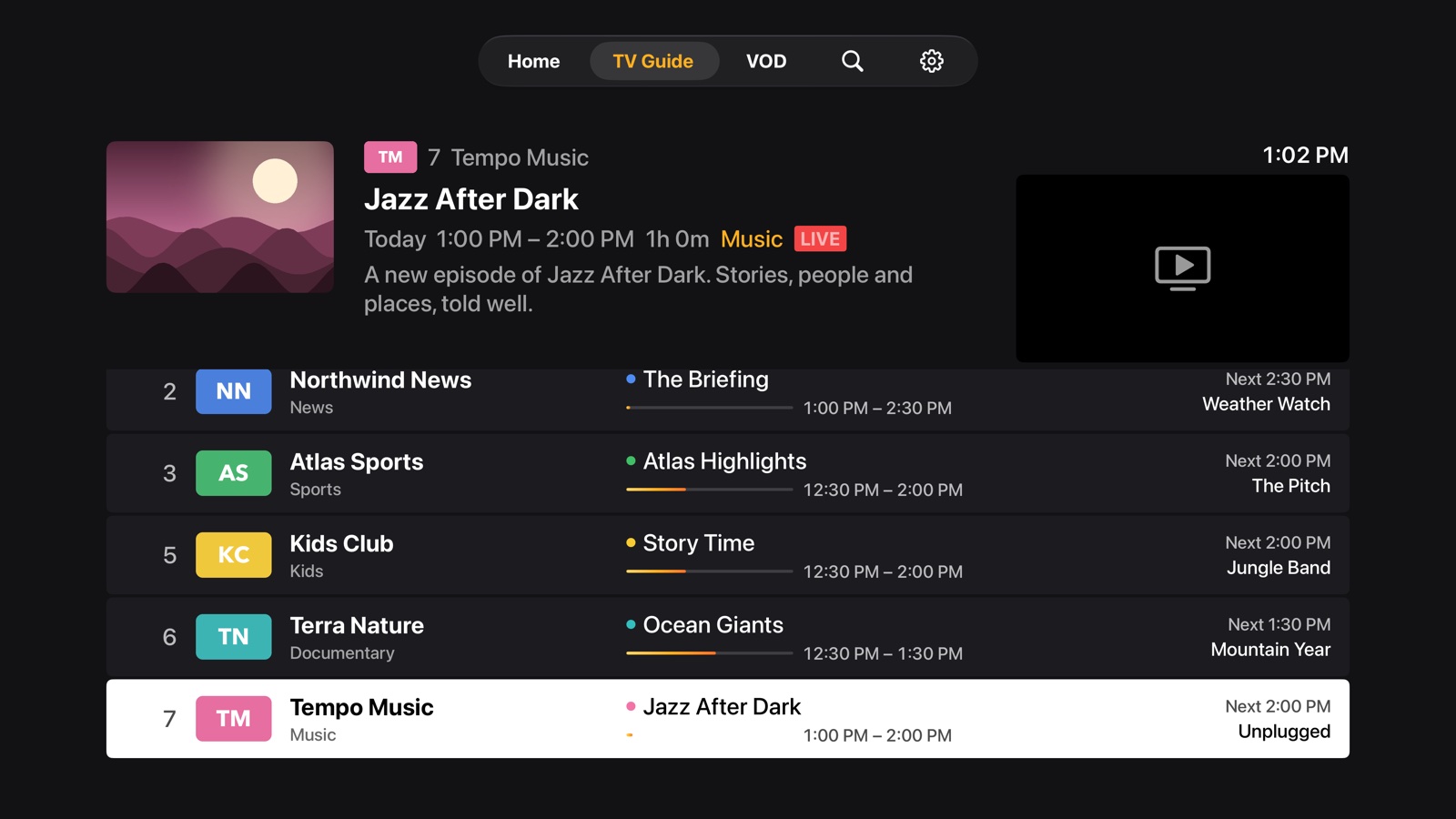
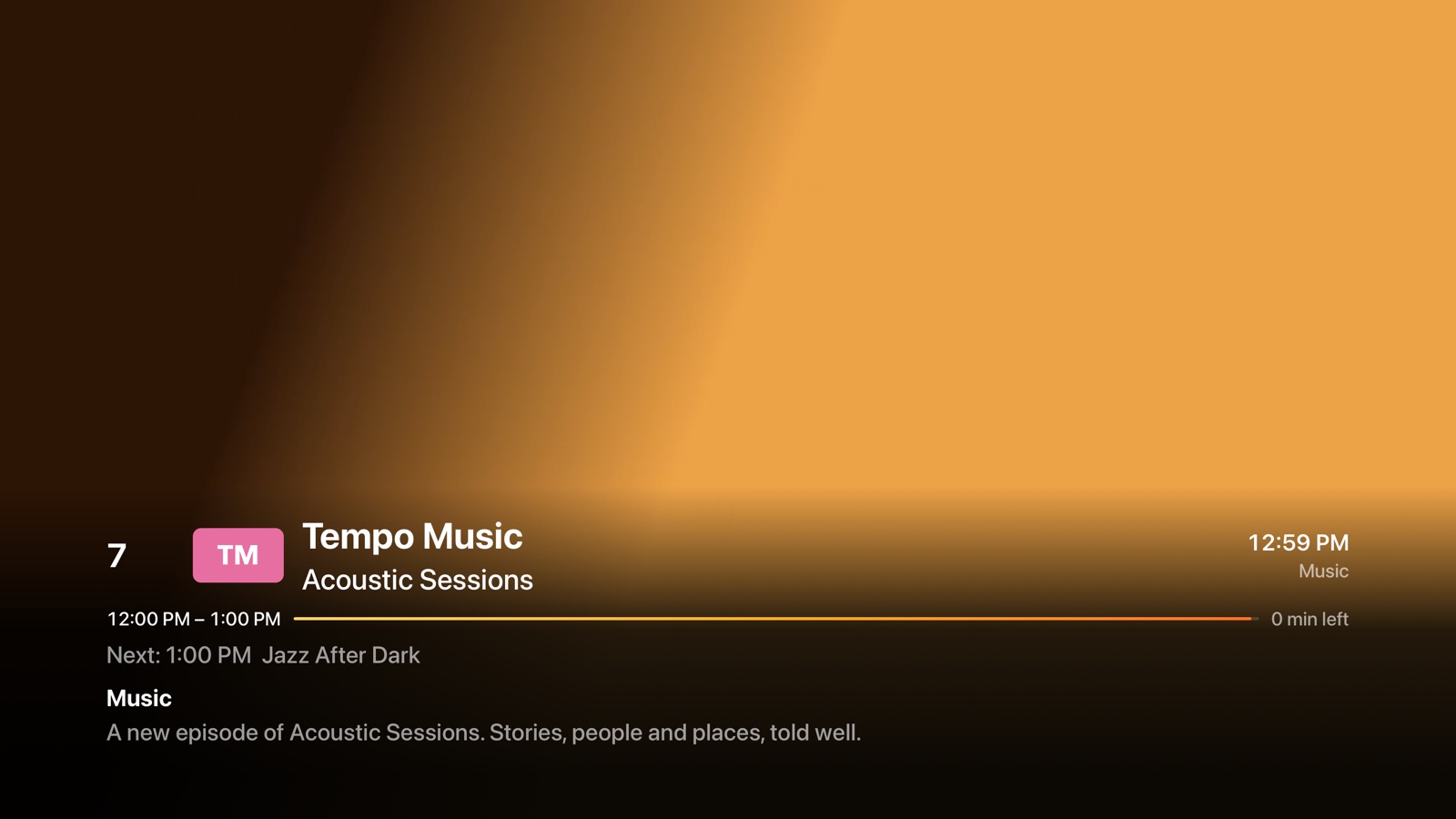

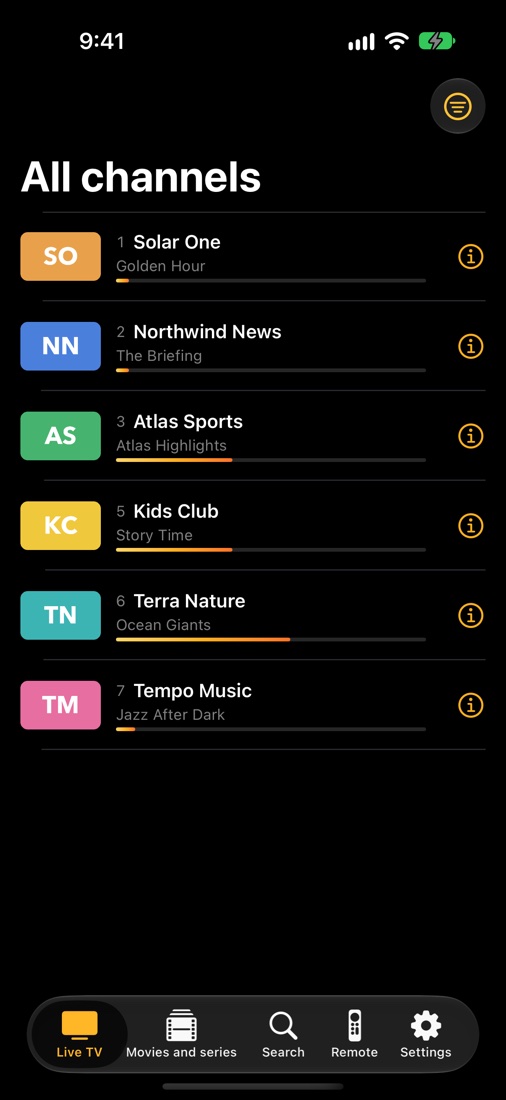
Built for the Siri Remote.
Not a Spreadsheet.
Most IPTV players on Apple TV are clunky Android ports where you fight the remote. SoliTV was coded natively for tvOS so every click, swipe, and hold feels instinctive.
Living Room Ergonomics
Click the edges to zap, swipe to browse, and hold for power features without ever leaving the couch.
One click summons the currently playing show banner with start/end times and channel logo. Hold for the complete program plot, cast, and technical stream bitrate info.
Everything You Love About Live TV.
Minus the Clutter.
Engineered from scratch in SwiftUI with zero compromise on speed, visual clarity, and playback resilience.
A TV Guide You'll Actually Enjoy Reading
Timeline or now-and-next list view with vibrant category color coding (Sport in bright emerald, Movies in cinematic violet, News in deep sky blue). Up to 14 days of schedule lookahead, catch-up TV for missed shows, and manual guide channel re-matching when providers mislabel streams.
Zero-Typing Setup
Never type a 60-character M3U URL with an on-screen keyboard again. Just point your iPhone camera at the QR code on your TV, paste your playlist link or Xtream login, and watch your channels appear in seconds.
Dual Playback Engines
Hardware-accelerated Apple AVPlayer for smooth HLS streams, plus an embedded VLC engine for raw MPEG-TS, AC3/EAC3 Dolby audio, MKV, and AVI. When Apple's player encounters an unsupported stream, SoliTV automatically switches to VLC without interrupting your viewing.
Your Entire Library in One Unified App
Bring your personal media servers right into SoliTV. Connect Plex (via instant 4-digit code), Jellyfin, Emby, SMB, WebDAV, NFS, or FTP shares. Each source gets its own dedicated tab and joins unified universal search. Play directly in SoliTV or hand off to Infuse in one click.
4-Way Multi-View & PiP
Watch up to four live matches or news broadcasts simultaneously on Apple TV 4K. Seamlessly switch audio focus between streams with the Siri Remote, or pin a channel in Picture-in-Picture while you explore schedules.
Built-In Stream Diagnostics
No more black screens or mystery failures. Hold Play/Pause and choose "Test This Stream": SoliTV diagnoses DNS, server response times, connection caps, and audio codecs in plain words.
Why SoliTV Leads on Apple TV
Compare SoliTV against generic Android ports and outdated media players.
| Feature | SoliTV | TiviMate (Android) | Generic Players |
|---|---|---|---|
|
Native tvOS 17 & SwiftUI Architecture
Engineered purely for Apple hardware with 120Hz ProMotion
|
✓ 100% Native | ✗ Android Only | ✗ Clunky Web Port |
|
Siri Remote Tactile Shortcuts
Quick zap, hold for options, clickpad muscle memory
|
✓ First-Class | ✓ Fire TV Remote | ✗ Generic Keypad |
|
iPhone Companion Sofa Remote
Auto-discovers Apple TV on Wi-Fi for sofa typing and search
|
✓ Included | ✗ No | ✗ No |
|
Plex, Jellyfin & NAS Integration
Live channels + your personal movie/series server in one place
|
✓ Built-in + Infuse | ✗ IPTV only | ✗ IPTV only |
|
Dual Player: AVPlayer + VLC
Automatic fallback for raw MPEG-TS, AC3/EAC3 audio and MKV
|
✓ Intelligent Fallback | ✓ ExoPlayer/VLC | ✗ Single Player |
|
4-Channel Multi-View
Watch 4 live games or news streams simultaneously on 4K TV
|
✓ Up to 4 Streams | ✓ Yes | ✗ Rare |
|
Zero-Typing QR Pairing
Scan QR on TV with iPhone to paste links without remote typing
|
✓ Instant QR | ✗ Manual typing | ✗ Manual typing |
|
Privacy: Zero Ads & No Tracking
No accounts, no telemetry, no cloud servers collecting data
|
✓ 100% Private | ✗ Account needed | ✗ Ads / Tracking |
|
Universal Apple Purchase
One purchase unlocks Apple TV, iPhone & iPad with Family Sharing
|
✓ 6 Family Members | ✗ Per device / Sub | ✗ In-app ads |
Free to Watch.
Premium When You Want More.
The free edition is complete for most users. Premium unlocks multi-view, personal cloud media, catch-up, and family iCloud sync.
Free Edition
Perfect for everyday live television and playlist browsing.
- 1 Active Playlist (M3U or Xtream)
- Live TV with Full EPG TV Guide
- Siri Remote shortcuts & favorites
- Movies and Series VOD catalog
- Embedded VLC engine fallback
- 4-Way Multi-View & PiP
- Plex, Jellyfin & NAS libraries
Premium · Yearly
For power users who want multi-view, personal media, and iCloud sync.
- Everything in Free
- Unlimited Playlists & EPG sources
- 4-Way Multi-View & Picture-in-Picture
- Plex, Jellyfin, Emby, SMB & NAS hubs
- Catch-up TV & Live Rewind
- iCloud Sync across all Apple TVs & iPhones
- Apple Family Sharing for up to 6 people
Premium · Lifetime
Pay once, own it forever on every Apple device in your family.
- All Premium features forever
- All future updates included
- Universal Purchase: Apple TV + iOS + iPadOS
- Apple Family Sharing included
- Direct email support priority
Frequently Asked Questions
Everything you need to know about setting up and enjoying SoliTV.
No. SoliTV is purely an advanced media player software. It does not sell, host, or distribute any channels or streams. You provide your own legally entitled IPTV playlist (an M3U/M3U8 link or Xtream Codes login) from your service provider. A set of legal public demo streams is included in the app so you can test features immediately.
In the Apple TV app, choose Add playlist. A QR code and short local web address appear on your TV. Simply scan the code with your iPhone camera to open a private local setup page, paste your link or login credentials, and tap Save. Your channels will immediately load on the TV.
Yes! With SoliTV Premium, navigate to Settings › Media sources. You can link Plex using a standard 4-digit code (plex.tv/link), add Jellyfin or Emby servers, or connect SMB, WebDAV, NFS, and FTP network shares. Your personal library appears alongside live TV with unified universal search.
Never. SoliTV is an Apple Universal Purchase. One single purchase unlocks Premium on every Apple TV, iPhone, and iPad signed in with your Apple ID. Additionally, Apple Family Sharing is enabled at no extra charge for up to 6 members of your household.
Hold the Play/Pause button on your remote and choose Test this stream. SoliTV's built-in stream diagnostic engine inspects your connection, verifies server response times, tests video codecs, and explains the problem in plain English (e.g., connection limit exceeded by provider, expired credentials, or unsupported bitrate).
Absolutely nothing. SoliTV has no user accounts, runs no telemetry servers, displays zero advertising, and uses zero tracking SDKs. Your playlists, credentials, and viewing habits remain strictly on your local Apple devices and in your private iCloud storage. Read our full Privacy Policy.

Television, Elevated to Apple Standards.
Download SoliTV today on Apple TV, iPhone, and iPad. Start your 7-day free trial or enjoy the free edition with no ads and no accounts.